Client
Global Internal Plataform – Beverage company
Team
Evandro Siol
Focus
UI/UX Design
Time
3 months • 2024

01
Context & Challenge
The internal platform, Hub.net, suffered from a lack of standardization. Different countries had specific needs, yet every department wanted a presence on the homepage. This resulted in a cluttered, inconsistent interface that hindered productivity.
To transform the Hub.net homepage into a high-value, personalized dashboard by creating a universal Widget Framework that balances global consistency with local flexibility and user autonomy.
02
Discovery & Insights
Methodology
Stakeholder Interviews: 12 in-depth sessions across different regions (America, Africa, Asia and Europe).
Benchmarking: Analysis of consumer-grade widget systems (iOS/Android) vs. enterprise tools.
Desk Research: Heatmap analysis of the current portal to identify "dead zones" and high-traffic areas.
Key Findings
Segmented Needs: A "Front-line" worker in a brewery needs quick access to shifts and paystubs, while an "Executive" leader requires high-level KPIs and team management data.
App Fatigue: Employees were frustrated by having to open heavy apps (like Workday) for simple tasks.
Relevance is Subjective: What is vital for one user is noise for another.

03
Definition & Ideation
The "Widget" Concept
We established three core rules for any content entering the Hub.net home:
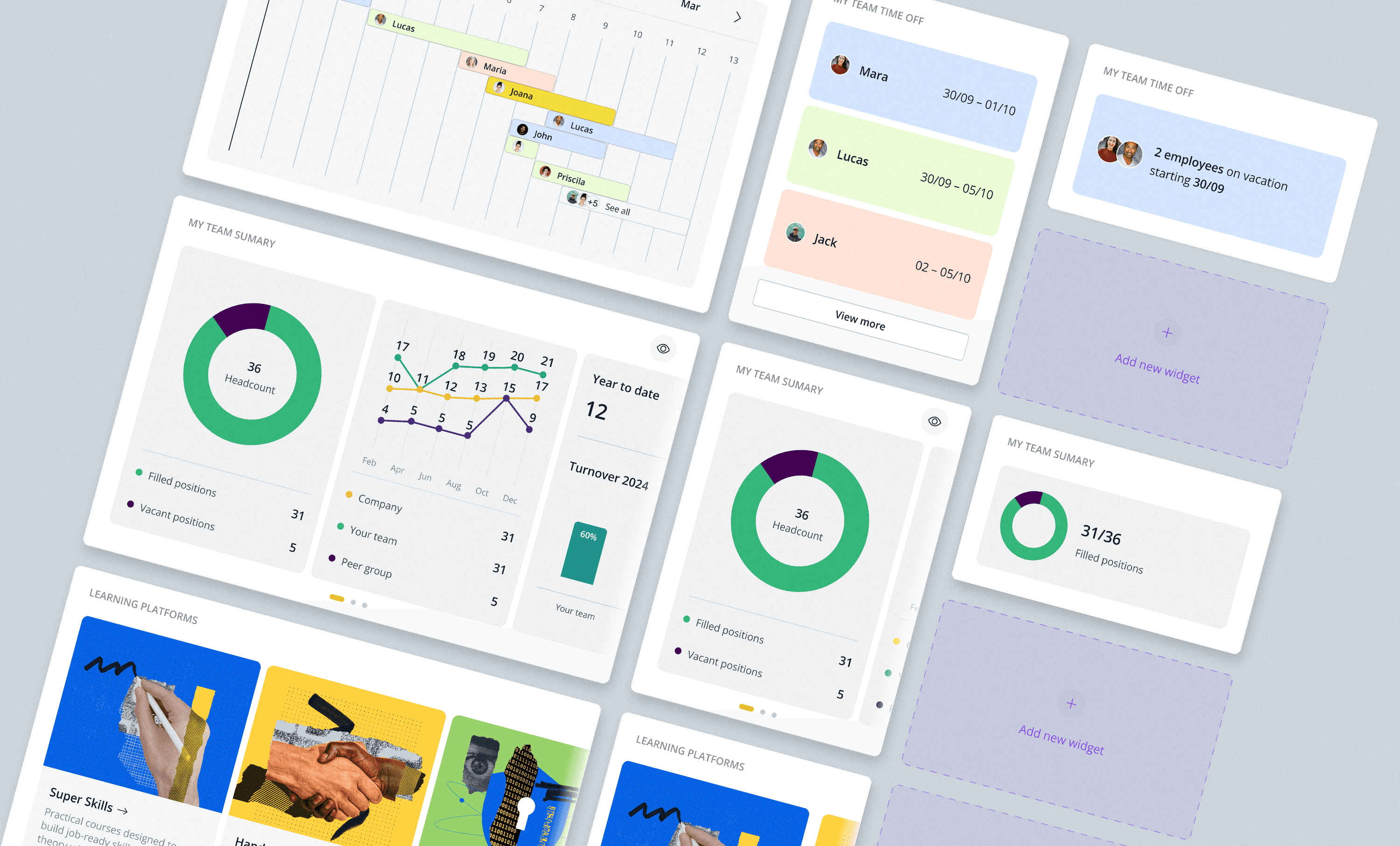
Summary, Not an App: A widget is a snapshot. Minimal controls, maximum information density.
Update Cadence: Data must be fresh. Every widget defines its refresh rate (Daily, Weekly, or Monthly).
Maximum Relevance: Content is segmented by Persona, Zone, Country, and Role.
The Value Proposition: Freedom within a Framework
By standardizing the grid into Small (S), Medium (M), and Large (L) sizes, we allowed users to take control of their own workspace.
04
Delivery: Prototyping & Solution
User Autonomy (Customization)
Beyond the initial profile setup, we empowered every employee with:
Add/Hide: Users can browse a "Widget Store" to add tools relevant to them or hide those they don't use.
Reorder: A drag-and-drop interface allows users to prioritize their most-used widgets at the top of the home page.
Key Featured Widgets
Recommended for You: A smart catalog of internal services that adapts to the user's profile.
Learning Ecosystem: Integration with platforms like Degreed, Coursera, and LinkedIn Learning.
Celebrations: A social widget to highlight birthdays and work anniversaries, fostering culture.
05
Outcomes & Lessons
Impact
Efficiency: Estimated 30% reduction in "time-to-action" for daily management tasks.
Development Speed: 40% faster deployment of new regional features using the standardized Widget Library.
Engagement: A significant shift in NPS (Targeting 76+), with users praising the ability to "build their own home."
Reflection
The project proved that personalization is the antidote to information overload. By allowing users to hide what they don't need, we reduced cognitive load and increased the perceived value of the platform.
